























Zero-Click Disaster Recovery

Never miss a call with automatic failover for Microsoft Teams Phone

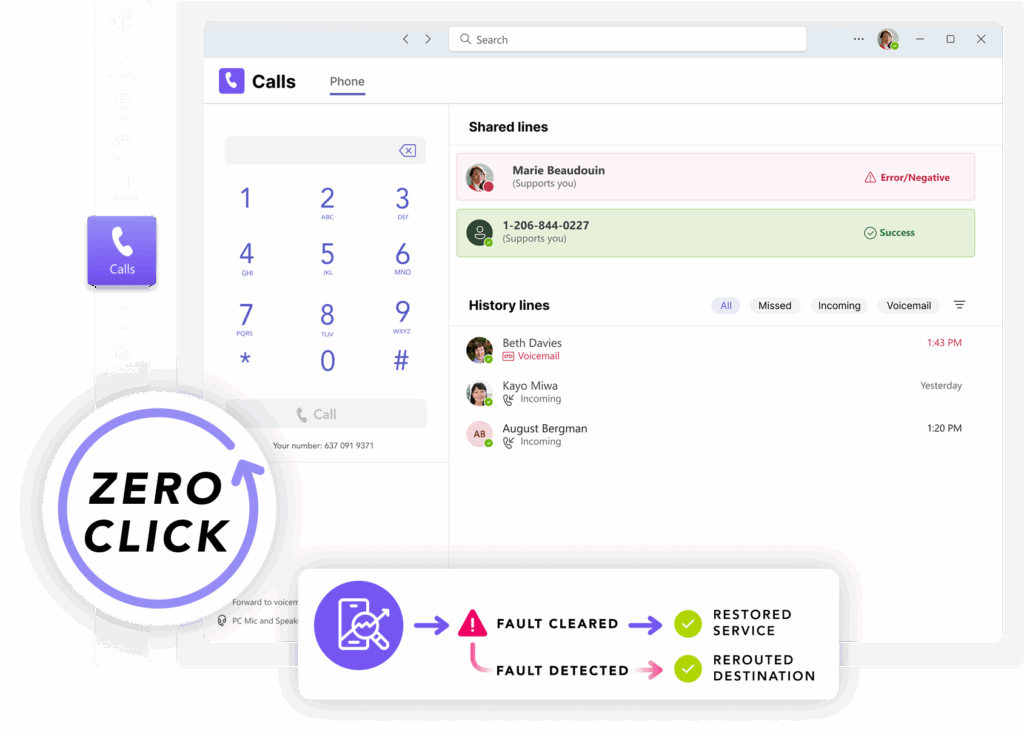
Momentum’s Zero-Click Disaster Recovery keeps you connected with automatic failover and real-time call rerouting, so your customers can always reach you.

Automated Failover For Teams

Zero-Click Disaster Recovery that keeps your phones live

Momentum’s Zero-Click Disaster Recovery for Microsoft Teams helps you stay connected even when Teams Phone isn’t.

Stay reachable in any scenario

Automatically redirect calls to mobile phones, backup numbers, or call centers during a Teams Phone outage with zero downtime or lost opportunities.

Protect your customer experience

Ensure every call is answered even if your primary system fails. Your customers will never hear a busy signal or be left hanging when they need support.

Make life easier for your IT teams

Built-in SIP monitoring, real-time failover, and a self-service portal free up your team to focus on what’s next instead of reacting to outages.

How It Works

Add built-in call failover in minutes

1

Log in to your portal

Your Teams Phone admin can add Zero-Click Disaster Recovery in a few clicks via the portal. 

2

Configure your numbers

Choose which numbers need failover and where they should reroute during an outage.

3

Stay connected during an outage

When an outage is detected, calls are automatically redirected to your backup destinations.

Failover that works fast, so you don’t have to

Real-time SIP monitoring

Continuously scans for call failures using 5xx and 6xx error codes. The moment Teams Phone has an issue, failover kicks in. No manual work required.

Automatic call failover

Calls are redirected instantly after an issue is detected. Customers stay connected, and your team avoids missed calls or downtime during a Teams outage.

Custom destination routine

Define exactly where calls go, including mobile devices, backup offices, or third-party contact centers. Tailor routing to your business needs and locations.

Easy setup and configuration

Routing rules are configured on the Momentum network, with no changes required in your Teams Admin Center. These configured rules can be setup at anytime and ready for use.

Integrated Azure DevOps alerts

Automatically opens a ticket the moment a call fails, giving your IT team full visibility and faster response without monitoring call flows manually.

Built for Operator Connect and Direct Routing

Designed specifically for Microsoft Teams Phone environments using Operator Connect and Direct Routing. That means seamless integration and no added infrastructure.

Teams outages are unpredictable. Your calls shouldn’t be.

Get ahead of the next disruption with automatic failover built for Microsoft Teams Phone. Talk to sales to learn more.

FAQ

Teams failover frequently asked questions

What triggers the failover, and how fast does it happen?

Failover is triggered automatically when the system detects 5xx or 6xx SIP response codes, which signal Teams Phone call failures. Once detected, calls are rerouted instantly.

Do we need any new hardware or infrastructure to use this?

No. Zero-Click Disaster Recovery is a fully cloud-native solution built for Microsoft Teams Phone with Operator Connect. No additional hardware or infrastructure is required.

How is this managed, and can we update settings ourselves?

You can configure routing rules and test failover scenarios through a self-service portal. No tickets or support requests needed. Momentum also manages deployment and support if you prefer a hands-off experience.

Will our users or customers notice when failover happens?

No. Failover is automatic and happens in milliseconds. Calls are redirected instantly to pre-set backup destinations with no disruption to the customer.

How is this different from Microsoft’s built-in call handling or backup options?

By default, Microsoft Teams Phone doesn’t come with built-in failover capabilities. This is typically enabled through Direct Routing or a third-party solution.

What happens after a failover? How do we return to normal call routing?

Failover is temporary and intelligent. If a 5xx or 6xx error is detected, calls will continue to route to your backup destination. Once the issue is resolved, the system automatically sends the next call through the primary route. For SIP-based failover, a health check confirms Microsoft Teams is back online before restoring normal traffic—so routing only returns when it’s safe to do so.

Cloud Voice

Modernize your communications with award-winning cloud solutions

Add enterprise-grade communications without the need for physical infrastructure with our flexible cloud voice solutions.
Why Choose Momentum?

Purpose-built for business communications

Communicate your way

Unify your workforce with a custom-built cloud service that supports voice, video, chat, SMS, and more on any device.

Effortless integration

Momentum's Cloud Voice solution integrates readily with existing software like Cisco WebEx as well as other synergistic services from our broad product portfolio.

Agile global coverage

Keep your workforce connected through a global geo-redundant network with over 200 points of presence, all without requiring on-site physical infrastructure.

Trusted by 30,000+ locations globally

Access feature-rich communications

Cutting-edge customization

Access 100+ enterprise-grade features to create a phone system that’s tailored to your organization’s exact needs.

Compliant network

We’ve designed our network and services with the highest level of security to ensure compliance with industry regulations like HIPAA.

Scale anywhere

Momentum makes scaling easy with full design and installation services. We can install circuits to bring our network into any market.

High-touch support

Get the support you need when you need it with on-demand, 24×7 access to our team of experienced cloud specialists.

Your one-stop shop

Leverage an extensive product portfolio that includes everything your business needs to stay connected and competitive.

Simple administration

Easily manage users with a simple, centralized administration portal — complete with advanced analytics features.

Unify and optimize your business communications

Momentum has been a cloud communications provider since the early 2000s. For decades, we’ve implemented thousands of cloud solutions globally for customers ranging in size from small businesses to large enterprises. We help our customers thrive with:

Your partner in business collaboration

Momentum empowers your business with the tools it needs to thrive. Enhance productivity and drive growth with custom solutions for connectivity, communication, engagement, and more. 

Carriers & Service Providers
0 +
Managed Network Connections
0 +
Enterprise Locations Served
0
related products

Explore Momentum's other collaboration solutions

Interested in exploring other ways your business can optimize its PBX and Teams deployments? Have a look at some of our other offerings below.

Teams Phone

Integrate enterprise-grade PBX functionality into Microsoft Teams with a direct connection to the PSTN. 

Operator Connect

Transform Microsoft Teams into a full-featured business phone solution with simplified management.

SIP Trunking

Enhance your existing PBX infrastructure with global coverage and on-demand flexibility and scalability.

Start modernizing how your business communicates today

Support a distributed digital workforce, scale your business, and keep your people connected to both colleagues and customers with Momentum Cloud Voice.

FAQ

Cloud Voice frequently asked questions

What is Cloud Voice?
Cloud Voice is any internet-based voice communication service where telephony applications, switching, and storage are hosted by a third party and accessed over the Internet.
What are the benefits of using Cloud Voice?
Cloud Voice offers several benefits, including cost savings, scalability, flexibility, and integration with other cloud-based services in your tech stack.
How does Cloud Voice differ from traditional phone systems?
Cloud Voice uses Voice over Internet Protocol (VoIP) technology, allowing voice data to be transmitted over the Internet, whereas traditional telephones rely on physical infrastructure to transmit calls.
Is Cloud Voice suitable for small businesses?
Yes. Cloud Voice is often the most cost-effective and scalable telephony solution for small businesses. It’s ideal for small businesses looking to reduce expenses, enhance communication capabilities, and modernize their communications infrastructure.
What equipment is needed to implement Cloud Voice?
You only need a reliable internet connection to use Cloud Voice. All desktops, modern smartphone devices, and tablets can make and receive VoIP calls. Typically, your provider will provide the required networking equipment, like routers and switches.
Can Cloud Voice integrate with existing business applications?
Yes. Many Cloud Voice services integrate with Customer Relationship Management (CRM) systems, email platforms, and other business applications to streamline workflows.
Collaborate with Momentum

Collaboration shouldn’t slow your teams down

Replace legacy PBX systems with enterprise-grade cloud communications that scale with your business.

Communicate globally

Eliminate fragmented workloads and disjointed communication by consolidating your tools into a single, integrated platform. 

Support flexible work

Protect sensitive data and improve productivity by giving global teams and remote employees a consistent, high-quality user experience.

Simplify admin

Reduce overhead and manual work with an intuitive, unified platform that provides full visibility in a single pane of glass. 

WHY PARTNER WITH MOMENTUM

Get more from your collaboration platform with Momentum

With 20+ years of experience in cloud communications, Momentum knows exactly what your business needs to enable company-wide collaboration and success.

Seamless and Feature-Rich

Manage users, services, and features easily with a simple, centralized administration portal. Create a phone system tailored to your exact needs, augmented by 100+ enterprise-grade features.  

Leading Microsoft Expertise
Momentum is a well-established Microsoft partner, meaning you'll be able to take advantage of both our connection into the Microsoft network, our long-standing integration with Teams, and our deep expertise in managing Teams deployments.
A Compliant, Carrier-Grade Global Network
Leverage 200+ global points of presence along with unlimited calling in Canada and the US — supported by best-in-class security compliant with frameworks and regulations like HIPAA and the GDPR. 
High-Touch Support
Momentum is one of the leading global experts in Microsoft Teams, cloud voice, and collaboration solutions. Working with us means having access to that expertise 24 hours a day and 365 days a year.
Comprehensive Product Portfolio
Augment your voice solution with a range of additional services, including high-quality business Internet, SD-WAN, and contact center functionality.

Explore our collaboration solutions

Teams Phone

Make Teams the foundation for collaboration and customer engagement

Start with calling, then build everything else on Teams. Momentum turns Microsoft Teams Phone into a secure, scalable communications platform with premium add-ons and support that grows with your business.

Find your path to Teams

Get help deciding how to deploy the world’s leading collaboration and business phone solution.

Operator Connect

Add PSTN connectivity, dynamic E911 support, and seamless number porting to Microsoft Teams.

Direct Routing

Stay flexible and in control of your Teams Phone deployment with Direct Routing.

Cloud Voice

Simplify business communications with feature-rich, enterprise-grade cloud voice.

SIP Trunking

Support on-demand scaling and best-in-class call quality without replacing your PBX.

Cloud Voice & Managed Network Sets
0 K+
Enterprise Locations Served
0 K
Active Microsoft Teams Users
0 K

Find your path to Teams

Get help deciding how to deploy the world’s leading collaboration and business phone solution.

Operator Connect

Add PSTN connectivity, dynamic E911 support, and seamless number porting to Microsoft Teams.

Direct Routing

Stay flexible and in control of your Teams Phone deployment with Direct Routing.

Cloud Voice

Simplify business communications with feature-rich, enterprise-grade cloud voice.

SIP Trunking

Support on-demand scaling and best-in-class call quality without replacing your PBX.

Upgrade your legacy infrastructure for business in the cloud

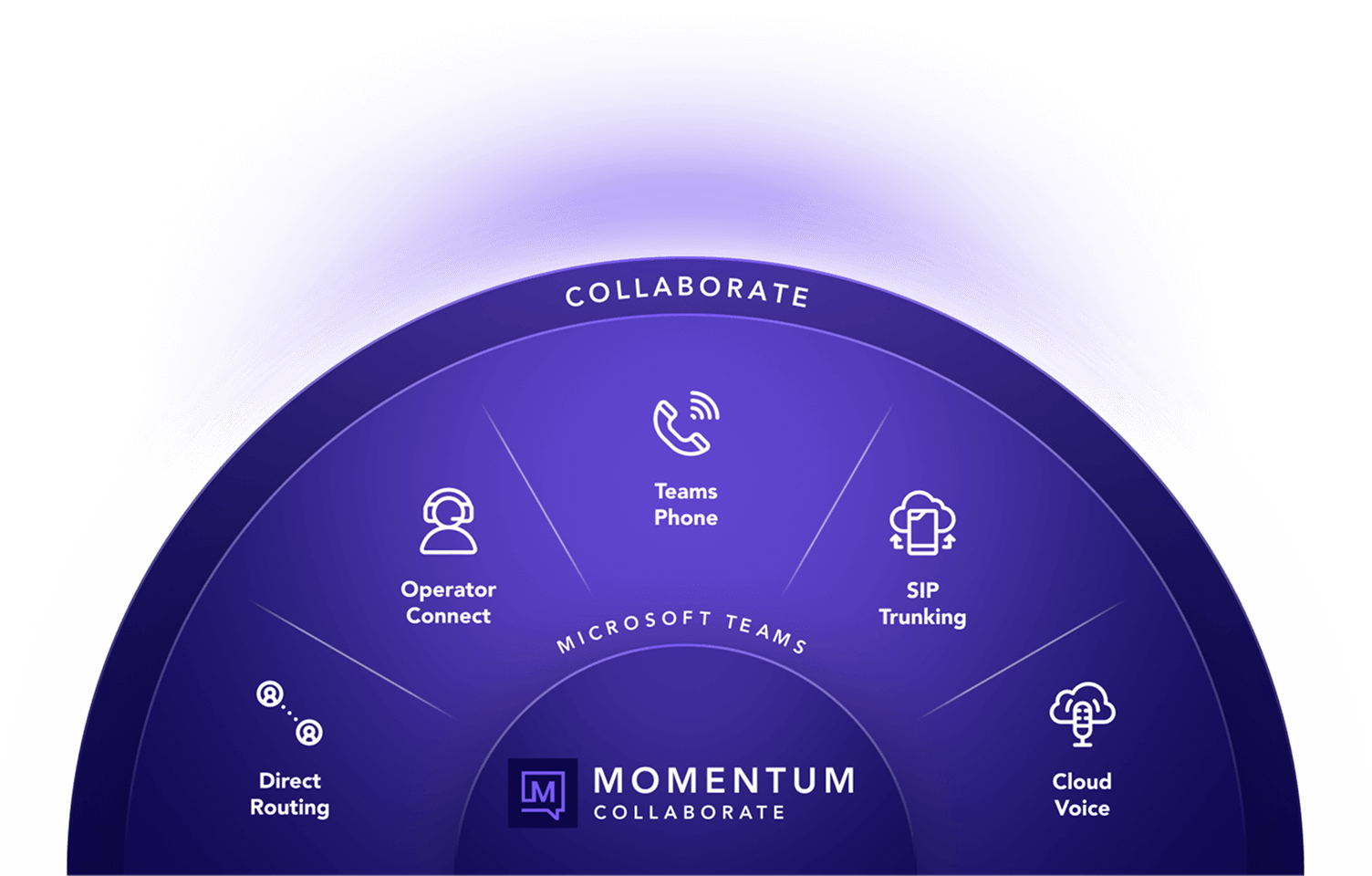
Collaborate
Collaborate

Make collaboration simple wherever your teams work

Momentum delivers modern collaboration solutions that make calling and communication work together seamlessly. Keep teams connected across locations and devices while reducing complexity behind the scenes.

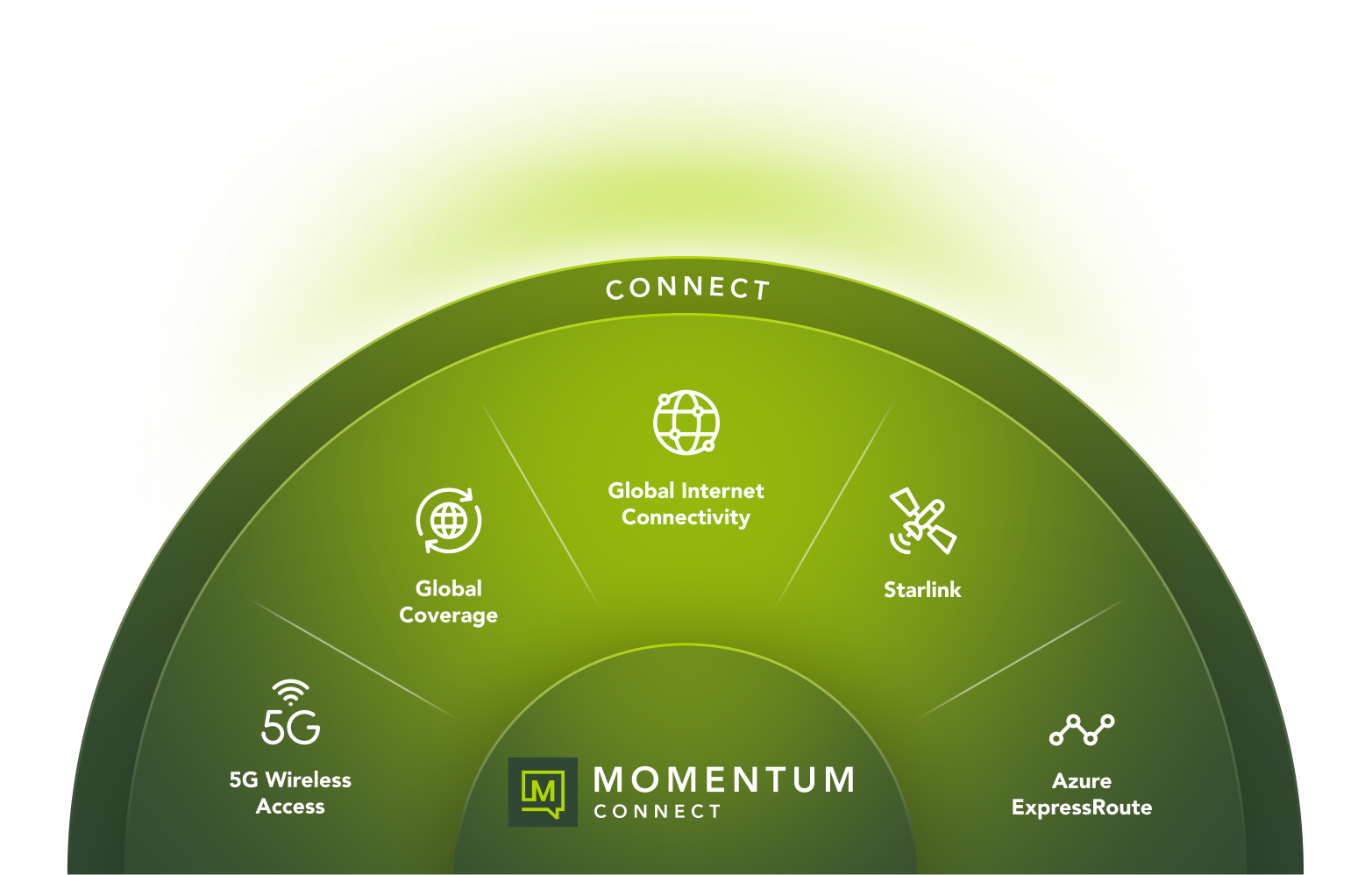
Connect
Connect

Get reliable connectivity everywhere your business operates

Momentum delivers high-performance connectivity and network services that keep every site, cloud workload, and user connected. Scale locations, support hybrid work, and operate with confidence using a network built to perform wherever your business grows.

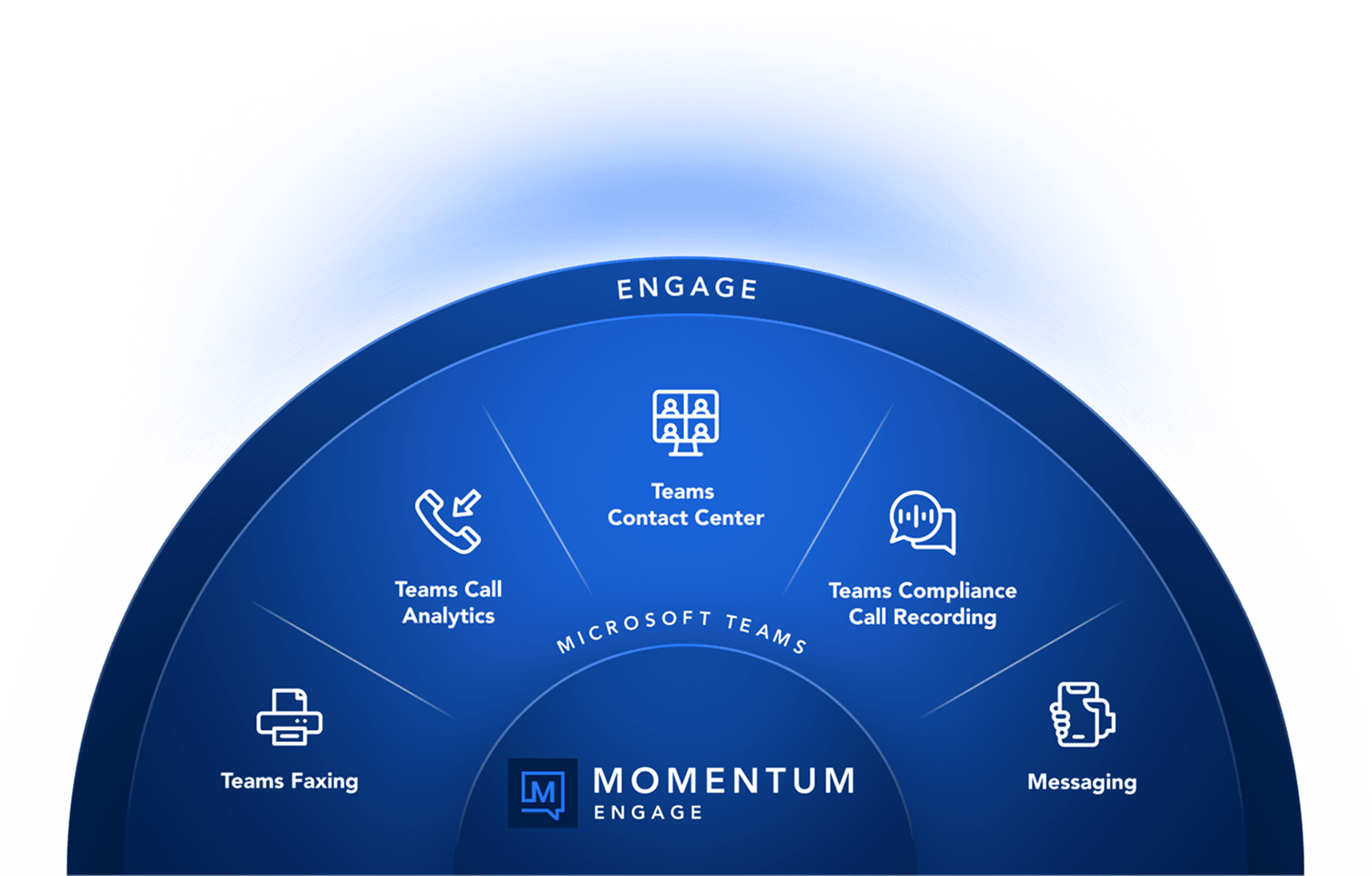
Engage
Engage

Seamlessly engage your customers at every touchpoint

Momentum brings calling, business messaging, and customer engagement into Microsoft Teams and Webex so teams can respond faster, stay aligned, and deliver consistent customer experiences across every interaction.

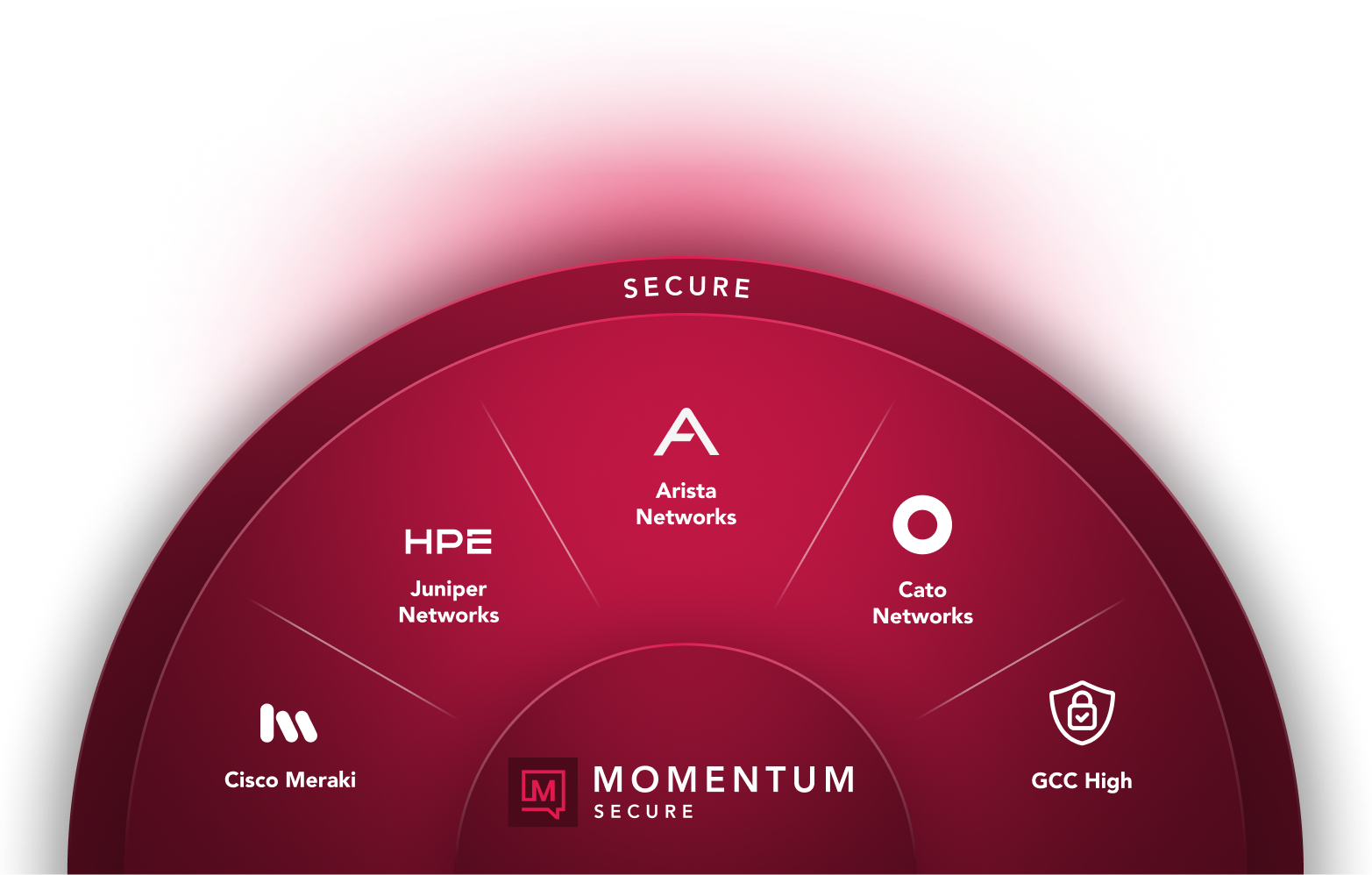
Secure
Secure

Secure every location, user, and conversation
Momentum delivers managed SD-WAN, SASE, and secure voice through one partner, one network, and one bill. Protect every location, user, and conversation while reducing risk and operational overhead.

Success Story

Kitsap seamlessly upgrades all branches to Microsoft Teams Phone

See how Kitsap Credit Union (KCU) partnered with Momentum to successfully transition from an old legacy phone system to softphones, Microsoft Teams, and seamless cloud communications.

Products Used:
Microsoft Teams Phone, Momentum Enterprise Softphone

founded
0
Adoption Rate
0 %
employees
0

Build collaboration that works the way your teams do

Meet with Momentum to design collaboration that fits your teams and scales with your business.
Operator Connect

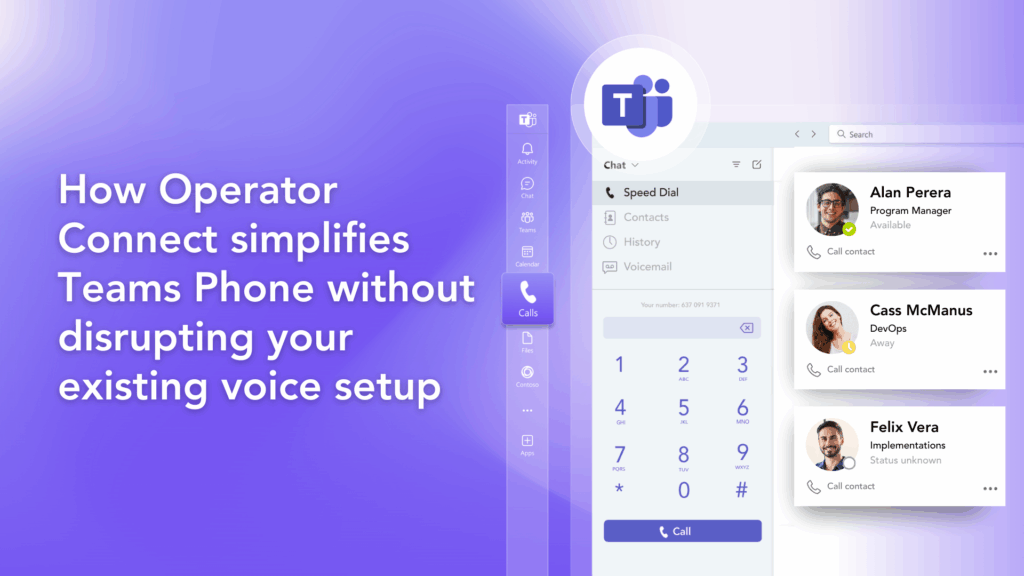
What is Operator Connect for Microsoft Teams?

Have questions about Operator Connect? Learn everything you need to know about this solution.

Quick Overview

Learn about Operator Connect for Microsoft Teams

Operator Connect launched in September 2021 as the next evolution of Microsoft’s Direct Routing service. This solution simplifies the process of integrating Public Switched Telephone Network (PSTN) connectivity into Microsoft Teams through a platform that’s configurable and available through one convenient dashboard. Businesses can choose from an extensive list of Microsoft-approved carriers, provisioning and de-provisioning new users from a dedicated dashboard.

Operator Connect allows any Microsoft Teams enabled device to be used for both inbound and outbound calls, making it the perfect option for businesses looking to integrate seamless PSTN-enabled calling with the familiar Microsoft Teams experience.

Interested in trying Operator Connect for your organization? Learn more about how to get started.

Use Cases

Who is Operator Connect for?

Operator Connect is designed for businesses that want seamless PSTN connectivity without the need to manage your SBCs in-house.

Choose Operator Connect if you:

Don’t have experience working with PowerShell

Want to deploy your phone system in the cloud

Prefer to work directly with a dedicated carrier

Need an easy way to onboard new users

Want to deploy a cost-effective calling solution

Want a simple, self-service way to manage numbers

Key terms for Operator Connect

Want to get the best experience from Operator Connect? Here are a few terms you should know.

Public Switched Telephone Network (PSTN) serves as the foundational network of infrastructure and services for telecommunications. This comprehensive system includes traditional phone lines, fiber optics, and cellular networks. Despite the growing adoption of modern communication solutions, most businesses still rely on PSTN connectivity for their everyday operations.

Microsoft-approved operators, often referred to as Operator Connect Partners, are vendors that have undergone a rigorous evaluation process and received formal approval from Microsoft to participate in the Operator Connect program. By partnering with these certified operators, businesses can ensure a consistently high level of service quality and reliability in their communication solutions.

This term signifies that your chosen operator is responsible for managing all technical aspects of your PSTN infrastructure. In the event of any issues or if you require technical support, your operator should be your first point of contact, streamlining the process of resolving any concerns.

This concept, popularized by Microsoft, promotes both Direct Routing and Operator Connect to enhance communication and collaboration within organizations. Essentially, it allows businesses to retain their existing carrier contracts and relationships while seamlessly integrating PSTN services with Microsoft Teams. This flexibility can be particularly beneficial for organizations looking to streamline their telecommunications without disrupting established partnerships.

Enhanced 911, commonly known as E911, is a critical service responsible for routing emergency 911 calls from various devices, including smartphones, VoIP phones, and wireless devices. This service provides vital GPS coordinates and enhanced location data, which are legally required in many jurisdictions to ensure accurate and timely emergency response.

These are the standard domestic and international calling plans offered by Microsoft for PSTN solutions that do not utilize Operator Connect. Engaging with these plans requires specific licensing to enable Microsoft Teams for telephony services, ensuring that organizations can take full advantage of Microsoft’s communication capabilities. Understanding these plans can help businesses make informed decisions about their telecommunication strategies.

Carrier Approval Explained

How does carrier approval work for Operator Connect?

All Operator Connect carriers must be approved by Microsoft. After approval, a PSTN carrier is granted access to direct peering between the SIP trunking infrastructure and Microsoft Teams. Carriers can also automate parts of the provisioning, billing, and reporting processes. 

Getting approved to become an Operator Connect Partner comes with several requirements, including: 

  • End-to-end quality of service and a strong service-level agreement
  • Direct peering through Microsoft Azure Peering Service (MAPS)
  • Fully regulated and/or licensed to provide phone numbers and PSTN service
  • At least two employees who have passed the Practical Guidance Assessment for Voice
  • At least two employees with Microsoft 365: Certified Teams Administrator Associate
  • Capacity to provide Tier 1 support, acting as the initial point of contact for customers
  • Suitable architecture, integration infrastructure, and interconnection infrastructure
  • E911 support

Operator Connect is currently supported in more than sixty countries, and most major telecommunications vendors and carriers are approved operators. Because Operator Connect is a managed service, vendors take care of all the technical work for PSTN integration. Operator Connect Partners may also offer a range of different value adds such as on-demand scaling, a self-service portal for billing and management, and unlimited calling plans.

Pros & Cons

What are the pros and cons of Operator Connect?

Advantages of Operator Connect

If you’re already working with an Operator Connect Partner as your carrier, you’ll be able to retain your current relationships, pricing, and contracts. You’ll also keep your current business numbers, with no porting required to integrate them into the Microsoft Teams phone system. Most leading carriers and PSTN providers are already vetted and approved by Microsoft. 

Operator Connect is generally viewed as the most cost-effective way for a business to add PSTN functionality to its Teams deployment. It’s important to note, however, that Operator Connect Partners maintain many different pricing models. Choosing the wrong provider could potentially undercut any savings gained from using the service. 

There are a few factors which together make Operator Connect so efficient from a budget standpoint: 

  • Minimal hardware requirements leading to reduced hardware spending. 
  • Less time, effort, and resources spent configuring voice for Teams. 
  • Dynamic scaling. 
  • No need to maintain or support on-premises hardware.

Administrators can connect third-party carriers to Teams via an interface which also allows them to handle user management, provisioning, and de-provisioning. There’s no coding or PowerShell knowledge required on the backend; everything is simple enough that even a business with no IT professionals can understand and leverage it. 

Using Operator Connect allows an organization to benefit from their PSTN provider’s comprehensive professional expertise. Many providers also track and report usage on the behalf of their clientele, enabling businesses to identify possible bottlenecks in their deployment. 

Operator Connect also provides at least some guarantee of connectivity, as clients are connected to both their carrier’s and Microsoft’s infrastructure. Coverage for Operator Connect typically spans a more comprehensive area compared to its alternatives, as well. Most importantly, because Microsoft holds its Operator Connect Partners to such a high standard, Operator Connect Partners typically provide superior security coupled with an excellent service-level agreement. 

Disadvantages of Operator Connect

Operator Connect isn’t something you can use straight out of the box with your other Microsoft products. In order to deploy and leverage the service, you may need to purchase additional licenses. At the minimum, this includes a basic Teams license, a Microsoft Phone System license, and a PSTN add-on. The price of these licenses together typically starts around $22.50 per user per month. Less expensive than many alternatives, certainly — but still by no means free. 

Operator Connect is a highly flexible service in its own right. However, it offers less customizability compared to its predecessor, Direct Routing. This means that if your organization needs to accommodate complex telecommunications needs, you may find Operator Connect somewhat lacking. The service’s reduced complexity also renders it slightly less versatile. 

Because Microsoft has incredibly stringent requirements for its list of approved carriers, your options are naturally somewhat more limited with Operator Connect than with other choices. In most cases, if your carrier of choice doesn’t appear on that list, you’re out of luck. With that said, most major carriers are also approved.

Coverage Map

Get Operator Connect anywhere in North America

Momentum offers Operator Connect for Microsoft Teams in the following places* :

Alabama
Alaska
Arizona
Arkansas
California
Colorado
Connecticut
Delaware
Florida
Georgia
Hawaii
Idaho
Illinois
Indiana
Iowa
Kansas
Kentucky

Louisiana
Maine
Maryland
Massachusetts
Michigan
Minnesota
Mississippi
Missouri
Montana
Nebraska
Nevada
New Hampshire
New Jersey
New Mexico
New York
North Carolina
North Dakota

Ohio
Oklahoma
Oregon
Pennsylvania
Rhode Island
South Carolina
South Dakota
Tennessee
Texas
Utah
Vermont
Virginia
Washington
West Virginia
Wisconsin
Wyoming

Alberta
British Columbia
Manitoba
New Brunswick
Newfoundland and Labrador
Northwest Territories
Nova Scotia
Nunavut
Ontario
Prince Edward Island
Quebec
Saskatchewan
Yukon

*Disclaimer: Momentum Operator Connect may not be available in select remote areas

Features Overview

What calling features are available within Operator Connect?

Operator Connect goes well beyond basic voice calling. The service also supports a wide range of additional calling features. These include, but are not limited to:

  • Auto Attendant/Call Queues
  • Voice Policies
  • Connectivity
  • Third-Party Integration via the 365 API
  • Streamlined Number
  • Provisioning
  • Number Porting
  • Service Management
  • Joint Microsoft/Carrier Support
  • Flexible, Usage-Based Pricing
  • Streamlined Number
  • Management
  • + More

Operator Connect, Direct Routing, or Calling Plans?

1

Microsoft Operator Connect

Operator Connect is the more hands-off version when compared to Direct Routing. With Operator Connect, businesses can access all the best features of a Microsoft Teams-enabled phone system without the complexity. Adding new users, porting numbers, and making account changes are all done through an intuitive dashboard.

2

Teams Direct Routing

Direct Routing lets you choose any PSTN carrier, while Operator Connect restricts you to approved partners. It’s more complex, making it ideal for larger enterprises with specific infrastructure needs and greater control over their Teams Phone environment.


3

Teams Calling Plans

This option replaces both Operator Connect and Direct Routing, making Microsoft your carrier. You’ll need to cancel any existing contracts and pay Microsoft’s rates. Calling Plans work well for smaller organizations needing inbound calls but can be inefficient for larger teams with high usage.

Features Overview

Key questions to ask when comparing Operator Connect, Direct Routing, and Calling Plans

Create a feature-rich calling experience in Teams

Microsoft Teams brings all your favorite business phone and collaboration features into a unified experience.

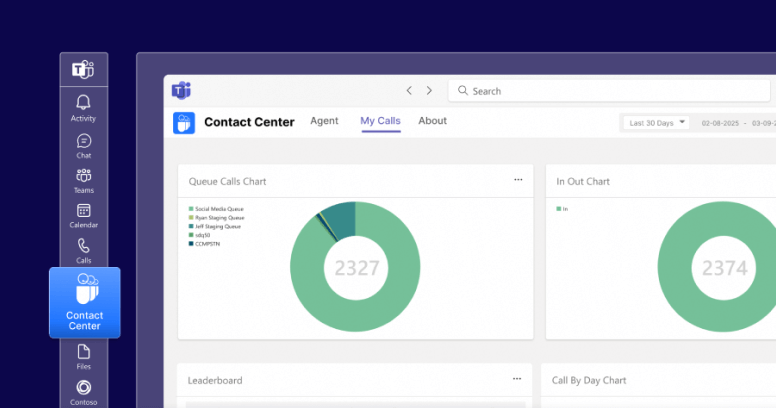
Teams Contact Center

Upgrade your business phone lines and streamline customer interactions

Teams Attendant Console

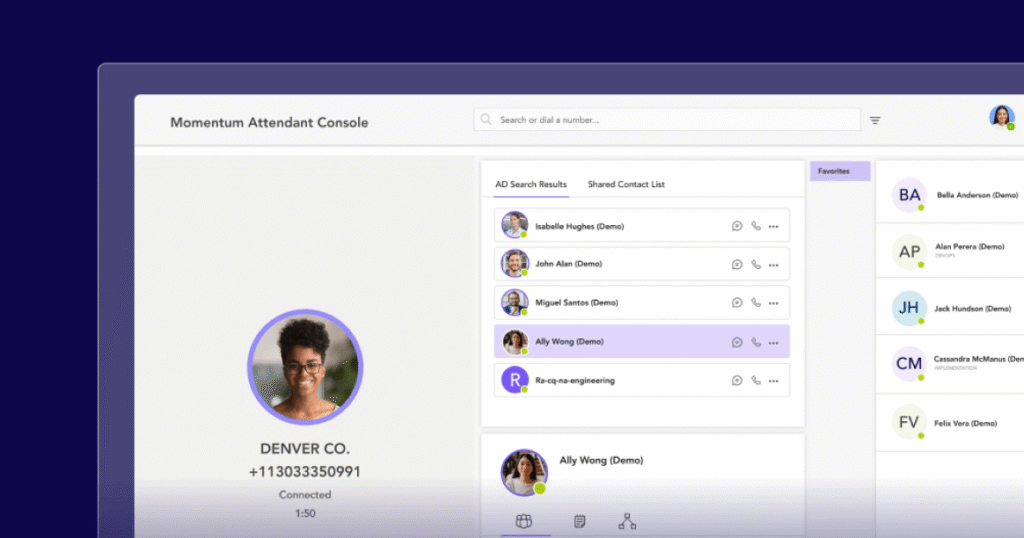
Equip your Teams' deployment with a advanced call management features

Teams Call Recording

Access insights into business operations with a recording solution

Teams Texting

Improve customer engagement by adding two-way SMS texting

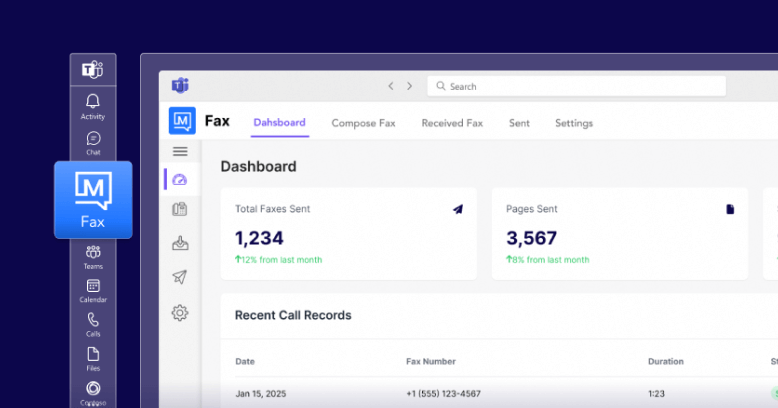
Teams Faxing

Send and receive faxes directly within the Microsoft Teams dashboard

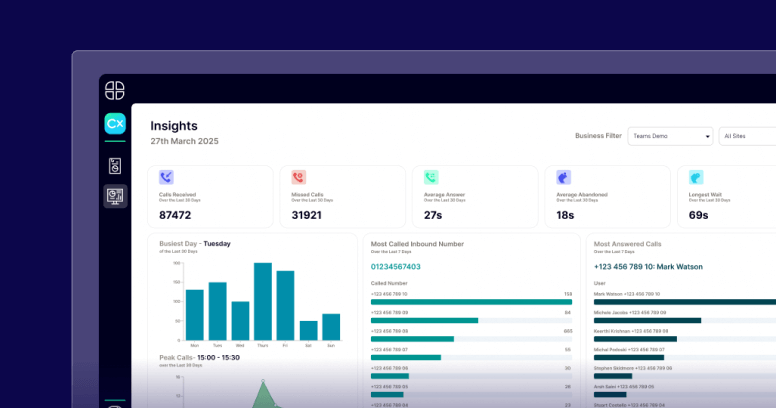
Teams Call Analytics

Gain a competitive edge with a robust contact center analytics platform

Create a feature-rich calling experience in Teams

Microsoft Teams brings all your favorite business phone and collaboration features into a unified experience.

Teams Contact Center

Upgrade your business phone lines and streamline customer interactions

Teams Attendant Console

Equip your Teams' deployment with a advanced call management features

Teams Call Recording

Access insights into business operations with a recording solution

Teams Texting

Improve customer engagement by adding two-way SMS texting

Teams Faxing

Send and receive faxes directly within the Microsoft Teams dashboard

Teams Call Analytics

Gain a competitive edge with a robust contact center analytics platform

book a call

Start making phone calls directly in Microsoft Teams

Turn Microsoft Teams into a dedicated business calling solution with help from a reliable, experienced Operator Connect Partner.

Teams Direct Routing

Make Microsoft Teams your complete business calling solution

Add dial tone and enterprise voice capabilities into your Microsoft Teams environment with direct routing.

Why Choose Momentum?

Crystal-clear, reliable, hassle-free voice communication

Unlock seamless collaboration and unparalleled efficiency with Momentum’s voice-enabled Microsoft Teams. Seamlessly integrate voice capabilities to turn Microsoft Teams into a full-fledged business calling solution complete with PSTN connectivity.

Trusted by 30,000+ locations globally

download ebook

How to make Microsoft Teams your all-in-one phone system

Future-proofing your phone system is easy with Microsoft Teams. Download our quick guide and learn your options and the exact steps you can take to make the transition to a Teams-based phone system.

Consolidate your communication tools

Simple management

Provision, monitor, and troubleshoot your entire deployment within a single pane of glass. 

High-touch support

Enjoy 24/7 support from experts who’ve worked with Microsoft Teams for over a decade and a half.

Peerless connectivity

Connect directly to Microsoft’s infrastructure via our redundant, sophisticated, carrier-grade network.

GCC high

Fulfill every security requirement with a solution developed to the highest standards of data management and protection.

Global coverage

Leverage 200+ global points of presence, relationships, 750+ carriers and service providers, and unlimited domestic calling.

Curated services

Access a comprehensive portfolio of products and services ranging from Microsoft Teams to network connectivity.
Microsoft Teams for GCC High

Keep your voice communications safe and secure

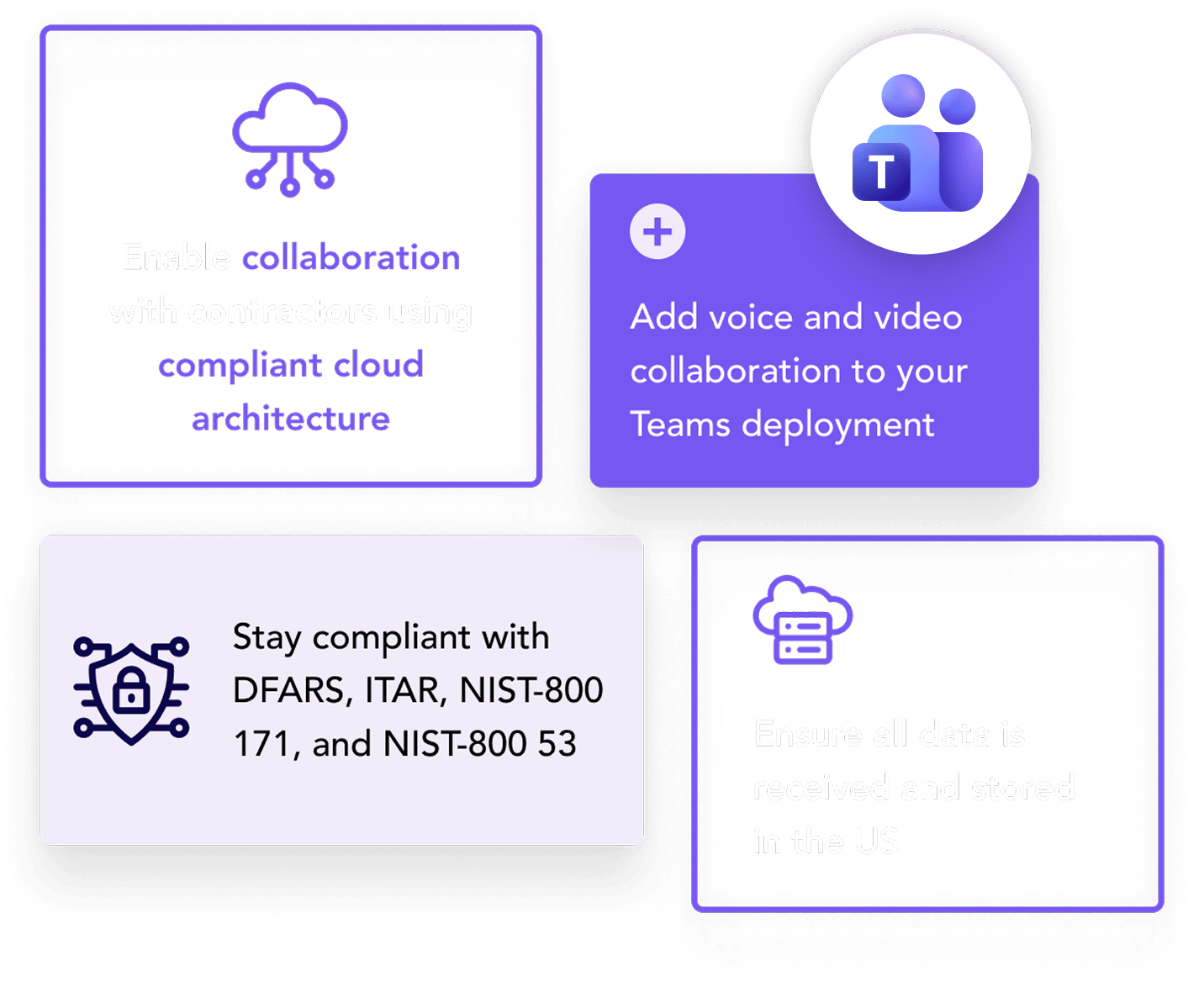
Microsoft 365 GCC High is the ultimate standard for adding secure voice while supporting government contractors working with the Department of Defence. Momentum’s direct routing solution is compliant with GCC High, allowing you to secure your most critical voice communications with ease.

ENTERPRISE LOCATIONS SERVED
0 K
CLOUD VOICE & MANAGED NETWORK SEATS
0 K+
MICROSOFT TEAMS USERS
0 K

Experience the next generation of Teams communication

At Momentum, we understand your need for streamlined, secure solutions and seamless collaboration — and that’s exactly what we offer through our direct routing service. We’ll help your team stay connected and collaborative no matter where they are, making it easy for your business to:

Create a feature-rich calling experience in Teams

Microsoft Teams brings all your favorite business phone and collaboration features into a unified experience.

Teams Contact Center

Upgrade your business phone lines and streamline customer interactions

Teams Attendant Console

Equip your Teams' deployment with a advanced call management features

Teams Call Recording

Access insights into business operations with a recording solution

Teams Texting

Improve customer engagement by adding two-way SMS texting

Teams Faxing

Send and receive faxes directly within the Microsoft Teams dashboard

Teams Call Analytics

Gain a competitive edge with a robust contact center analytics platform

Create a feature-rich calling experience in Teams

Microsoft Teams brings all your favorite business phone and collaboration features into a unified experience.

Teams Contact Center

Upgrade your business phone lines and streamline customer interactions

Teams Attendant Console

Equip your Teams' deployment with a advanced call management features

Teams Call Recording

Access insights into business operations with a recording solution

Teams Texting

Improve customer engagement by adding two-way SMS texting

Teams Faxing

Send and receive faxes directly within the Microsoft Teams dashboard

Teams Call Analytics

Gain a competitive edge with a robust contact center analytics platform

FAQ

Teams Direct Routing frequently asked questions

What is Microsoft Teams Phone Direct Routing?

Microsoft Teams Direct Routing is a deployment method that connects your organization’s existing telephony infrastructure to Microsoft Teams, enabling users to make and receive PSTN calls directly within the Teams platform. It uses a certified Session Border Controller (SBC) to bridge your telephony provider and Teams. Organizations that prefer not to manage their own infrastructure can also use Direct Routing through a managed provider like Momentum.

What’s the difference between Direct Routing and a Microsoft Calling Plan?

Direct Routing allows organizations to use their existing telephony providers and infrastructure, offering greater flexibility and control over carriers, call routing, and costs. A Microsoft Calling Plan, by contrast, is a fully cloud-based telephony solution managed entirely by Microsoft. Direct Routing is typically preferred by organizations that want to leverage existing telecom investments, need global coverage through multiple carriers, or require GCC High compliance.

What are the benefits of using Direct Routing?

Direct Routing gives organizations the ability to maximize their existing telephony investments while gaining full PSTN calling within Microsoft Teams. Key benefits include flexibility in choosing telephony providers, the ability to integrate with third-party systems like PBXs and analog devices, support for GCC High environments, and access to global coverage through carrier relationships. It also offers more control over call routing, failover, and cost management compared to Microsoft Calling Plans.

What’s required to deploy Direct Routing in Teams?

Deploying Direct Routing requires a Microsoft 365 or Office 365 tenant with Teams enabled, a Teams Phone add-on license, a public IP address, and a Fully Qualified Domain Name (FQDN) for the Session Border Controller (SBC). Your Direct Routing provider will supply and manage a certified SBC and handle the technical configuration of your deployment. Momentum manages the full implementation, so organizations do not need in-house telephony expertise to get started.

How do I enable users for Direct Routing?

Users are enabled for Direct Routing by assigning them the appropriate Teams Phone license, configuring their phone number, enabling enterprise voice in their account settings, and assigning a voice routing policy. Your provider or IT administrator handles these steps through the Microsoft Teams admin center. Momentum can manage this process end to end as part of a fully managed deployment.

How can I ensure high availability in a Direct Routing setup?

High availability in a Direct Routing deployment is achieved by deploying multiple Session Border Controllers in geographically separate locations, configuring failover routes, and building redundancy into network connections. This ensures that if one SBC or location experiences an outage, calls are automatically routed through a backup path. Momentum handles the design and management of high-availability Direct Routing deployments, so your voice services remain operational without IT intervention.

Boost collaboration, and efficiency with voice-enabled Microsoft Teams

Eliminate the barriers to effective teamwork and supercharge business communications with a direct routing solution that’s easy to configure, deploy, and manage.

SIP Trunking

Scale your business phone system with confidence

Upgrade your PBX for on-demand scaling, top call quality, and growth-ready networking.

Why Choose Momentum?

Communications consistent with your company's needs

Stay operational during high-demand periods and support long-term growth with Momentum’s SIP trunking solution. Our solution is compatible with most certified PBX vendors, including Avaya, Mitel, Cisco, ShoreTel, and Panasonic — offering:

Trusted by 30,000+ locations globally

Enable flexible and more reliable communication

E911 support

Ensure your organization is prepared for emergencies and compliant with regulations with full 911 and E911 functionality. 

Trusted infrastructure

Momentum’s carrier-grade, geo-redundant network is trusted by corporations and carriers located throughout the world.

High-touch support

Take control of your communications with 24×7, on-demand high-touch support from our team of SIP trunking experts. 

Designed for reliability

Backed by our global network, our SIP trunking service is considerably more reliable than most primary rate interfaces (PRIs).

Your one-stop shop

Momentum offers a comprehensive portfolio of synergistic services, including SD-WAN, Cloud Voice, Teams Phone, and more. 

Global scalability

Momentum owns the entirety of our global network and has the capacity to install our own circuits, enabling unprecedented coverage.  

Breathe new life into your legacy PBX infrastructure

Create a scalable, easy-to-manage communications network with our flexible SIP trunking service. Momentum will provide you with a digital service to support all your network routing needs, with benefits that include:

Your partner in business collaboration

Momentum empowers your business with the tools it needs to thrive. Enhance productivity and drive growth with custom solutions for connectivity, communication, engagement, and more.

Carriers & Service Providers
0 +
Managed Network Connections
0 +
Enterprise Locations Served
0
related products

Explore Momentum's other collaboration solutions

Interested in exploring other ways your business can optimize its PBX and Teams deployments? Have a look at some of our other offerings below. 

Teams Phone

Integrate enterprise-grade PBX functionality into Microsoft Teams with a direct connection to the PSTN. 

Cloud Voice

Modernize your communications infrastructure with a feature-rich cloud solution.

Operator Connect

Transform Microsoft Teams into a full-featured business phone solution with simplified management.

Maximize the value of your PBX investment with Momentum

Enhance your business phone system with a SIP trunk that’s built to scale while accessing a diverse portfolio of additional communications and connectivity services.

FAQ

SIP Trunking frequently asked questions

What is SIP Trunking?

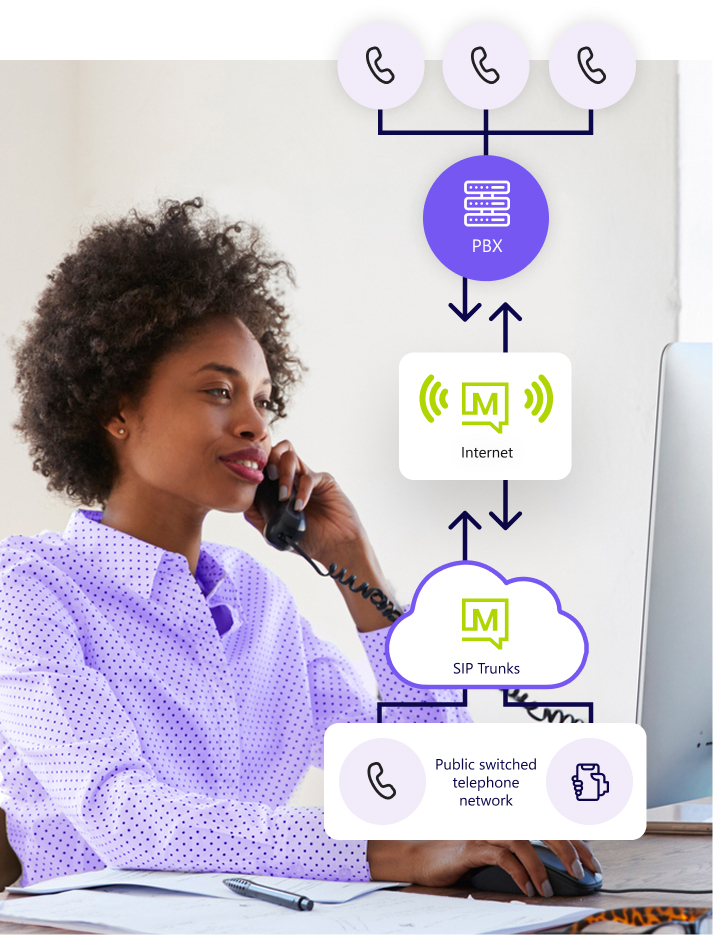
SIP Trunking is a method of delivering voice and other communication services over the internet using the Session Initiation Protocol (SIP). It replaces traditional analog phone lines (PRIs and POTS lines) by connecting your existing Private Branch Exchange (PBX) to the Public Switched Telephone Network (PSTN) through an internet connection. SIP Trunking allows organizations to retain their current PBX infrastructure while gaining modern scalability and cost efficiencies.

How does SIP Trunking differ from traditional phone lines?

Traditional phone lines use physical copper connections to transmit voice calls, with capacity limited by the number of lines installed. SIP Trunking uses the internet to transmit voice data, which provides greater flexibility, easier scalability, and typically lower costs. Unlike traditional lines that require hardware changes to add capacity, SIP trunks can be scaled on demand through a provider dashboard, making it easier to adjust to changing call volumes.

What are the benefits of using SIP Trunking?

SIP Trunking delivers cost savings by replacing expensive traditional phone lines with internet-based connections. Additional benefits include on-demand scalability, compatibility with most certified PBX systems, improved call quality through a carrier-grade network, unlimited domestic calling options, and the ability to support multi-site deployments with centralized management. It also integrates with other communication services like Cloud Voice and Microsoft Teams.

How does SIP Trunking handle emergency calls?

SIP Trunking providers route emergency calls (911 and E911) to the appropriate Public Safety Answering Point (PSAP) based on the caller’s registered location. To ensure emergency calls are routed accurately, organizations must keep their location information updated with their provider. Compliance with regulations like Kari’s Law and RAY BAUM’s Act is also supported by reputable SIP Trunking providers.

Is SIP Trunking secure?

SIP Trunking security depends on the provider and implementation. A well-configured SIP trunk uses encryption protocols such as TLS and SRTP, runs over a secure private network, and is supported by enterprise-grade firewalls and monitoring. Working with a reputable provider that operates its own carrier-grade infrastructure is the most effective way to ensure your SIP Trunking service is protected against eavesdropping, fraud, and unauthorized access.

How is call quality managed in SIP Trunking?

Call quality in a SIP Trunking environment is influenced by internet bandwidth, network stability, and Quality of Service (QoS) configurations. Providers with their own carrier-grade network infrastructure can prioritize voice traffic and reduce latency, jitter, and packet loss. Momentum operates a geo-redundant global network with over 200 points of presence, ensuring high-quality voice performance even during peak usage.

Microsoft Teams Phone

Your team lives in Teams. Your phone system should too

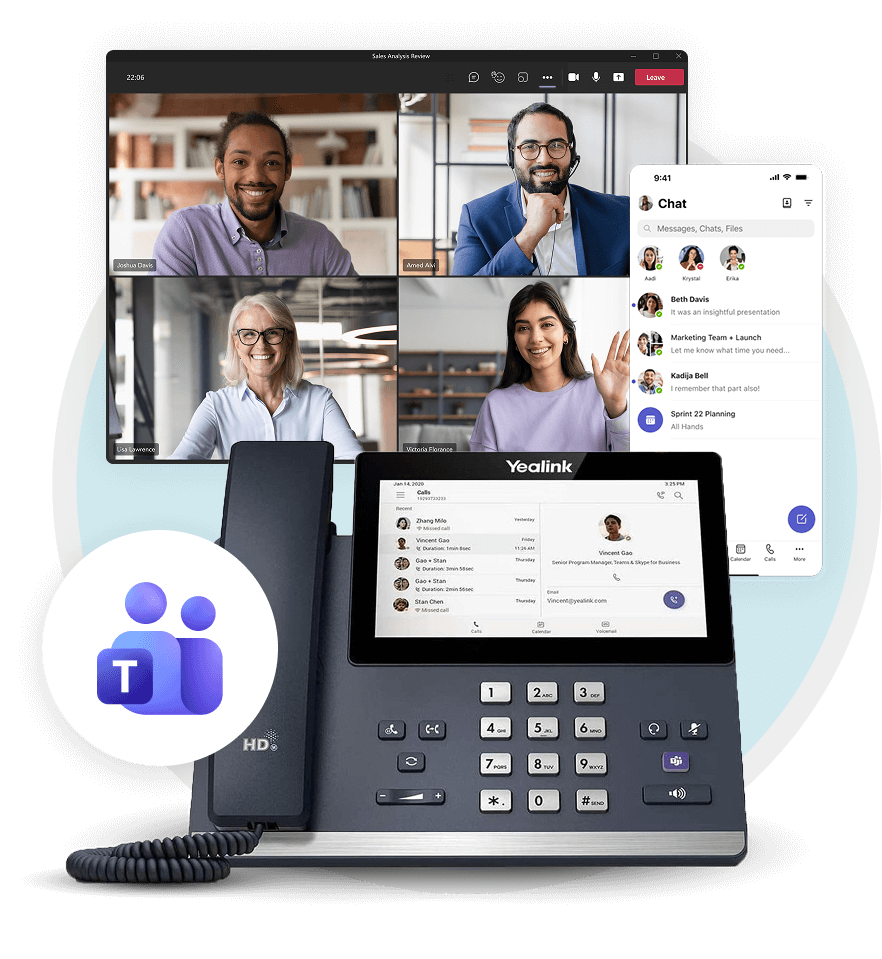
We turn Teams into a complete phone system. Everything you need now, ready for whatever’s next, with experts behind you every step.

Works everywhere

Make phone calls anywhere work happens from any device.

More than dial tone

Add Copilot, analytics, call recording, and enterprise features.

One partner

One Microsoft-certified partner for setup, support, and billing.

Why Choose Teams Phone?

Give your people one place to work and collaborate

Stop making people bounce between apps to get work done. With Teams Phone, calling lives right next to chats, meetings, and file sharing. It’s that simple.

Build the phone system your business deserves

Teams Phone has the features that make collaboration seamless. Here’s what’s included:

Auto attendant

Create customized menus for both internal and external callers.

Call forwarding

Send calls to another user, device, or voicemail when you’re unavailable.

Cloud call queues

Configure call queues with custom greetings, hold music, and more.

Simultaneous ring

Ring multiple devices at the same time so you never miss important calls.

Busy on busy

Route calls based on your Teams status to avoid interruptions during meetings.

Call parking & retrieval

Place calls on hold in Teams and use a unique code to retrieve it.

Caller identification (ID)

Add caller ID that pulls caller information from the company directory.

Integrated dial pad & contact sync

Dial users by name or number with a search bar in the dial pad.

How do you want to deploy Teams?

Choose one of two ways to enable Microsoft Teams phone for your business.

Operator Connect

Bring dial tone to Teams with both managed and self-managed options.

Direct Routing

Add calling to Teams with more control, flexibility, and support for GCC High.

The Momentum Difference

Get more from Teams with the right partner

Momentum is a Microsoft-certified partner with deep expertise in Teams deployments. We’ve been building Teams solutions for years, and we make sure you get the full value from day one.

Enterprise Locations Served
0 K
Cloud Voice & Managed Network Seats
0 K+
MICROSOFT TEAMS USERS
0 K
Microsoft Teams Add-ons

Make Teams yours with powerful add-ons

Extend your phone system with tools built for how your business works. Add analytics, recording, faxing, contact centers, and more, all inside Teams.

Teams Contact Center

Turn Teams into a full contact center with smart routing and customer tools.

Teams Faxing

Send and receive faxes without leaving Teams or scanning paper.

Teams Call Analytics

Track call performance and spot trends with real-time voice analytics.

Teams Call Recording

Record calls for compliance, training, and quality assurance.

AI SMS & Messaging

Engage customers with AI-powered SMS and messaging in Teams.

Attendant Console

Give operators full visibility and control over incoming calls.

related products

Build your complete solution with Momentum

Build a better phone system in Teams

Let’s talk about what your business needs and how Momentum can make it happen.

FAQ

Microsoft Teams Phone frequently asked questions

What is Microsoft Teams Phone?

Microsoft Teams Phone is a cloud-based phone system that adds public switched telephone network (PSTN) connectivity directly into Microsoft Teams. It enables users to make and receive business calls from the same platform they use for chat, meetings, and file sharing, eliminating the need for a separate phone system. Teams Phone supports Operator Connect, Direct Routing, and Microsoft Calling Plans, giving organizations flexibility in how they connect to the PSTN.

How does Microsoft Teams Phone work?

Microsoft Teams Phone works by connecting your organization to the PSTN through one of three deployment methods: Microsoft Calling Plans, Operator Connect, or Direct Routing. Once configured, users can make and receive phone calls directly from the Teams desktop app, mobile app, or a certified Teams device. Calls are routed through Microsoft’s cloud infrastructure, with your chosen provider handling the PSTN connection for local, long-distance, and international calling.

What are the licensing requirements for Microsoft Teams Phone?

Microsoft Teams Phone requires an active Microsoft 365 or Office 365 subscription along with a Teams Phone add-on license. To enable PSTN calling, organizations also need a Microsoft Calling Plan, an Operator Connect provider, or a Direct Routing deployment. The specific licensing depends on your chosen deployment method and the features your organization needs.

Can I keep my existing phone numbers with Microsoft Teams Phone?

Yes, you can port your existing phone numbers to Microsoft Teams Phone. If you choose Direct Routing, you can retain your current telecom provider and numbers while integrating them into the Teams environment. Operator Connect providers also support number porting, making it possible to transition to Teams Phone without changing the phone numbers your customers and partners already know.

Do I need special hardware to use Microsoft Teams Phone?

No, Microsoft Teams Phone does not require special hardware. It works on any device that supports the Microsoft Teams application, including desktops, laptops, tablets, and smartphones. Organizations that prefer a traditional desk phone experience can also use Microsoft-certified Teams devices, but they are not required to make or receive calls.

Is Microsoft Teams Phone secure?

Yes, Microsoft Teams Phone is built on the same enterprise-grade security framework as Microsoft 365. It includes end-to-end encryption, identity and access management, and compliance with industry standards such as HIPAA and SOC 2. Organizations in regulated industries or government contracting can also deploy Teams Phone through GCC High for additional data protection and compliance requirements.

TEAMS OPERATOR CONNECT

Add dial-tone to Microsoft Teams with Operator Connect

Fast, intuitive, and convenient business calling directly in Microsoft Teams with Operator Connect.

What is Operator Connect?

How Operator Connect makes adding dial tone to Teams easy

Operator Connect is the quickest way to add Public Switched Telephone Network (PSTN) connectivity to Microsoft Teams with fully managed and self-service options.

Start making calls in Microsoft Teams today

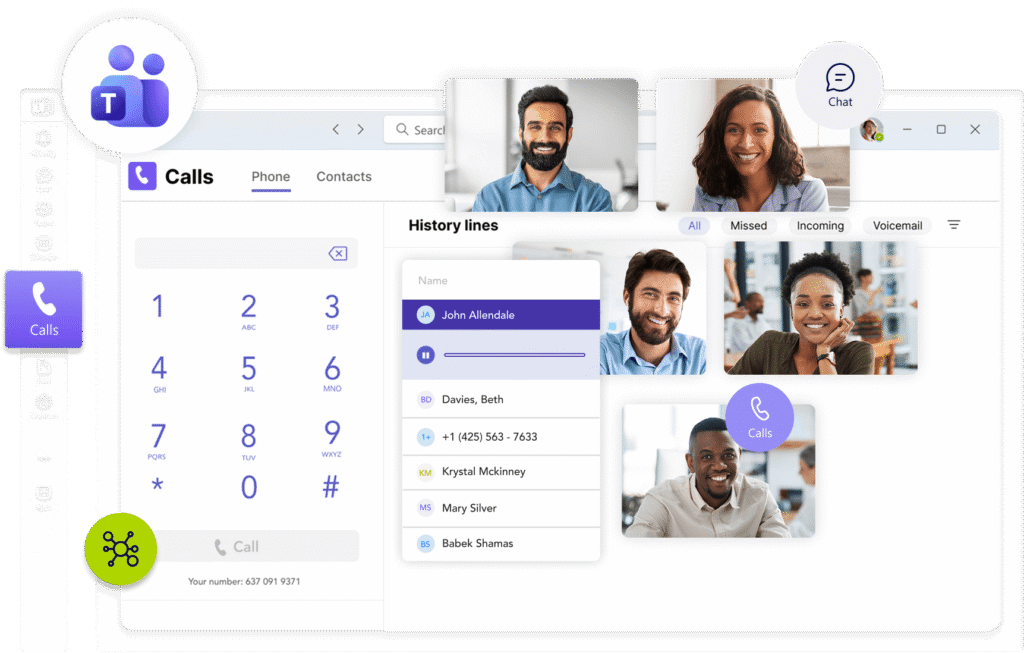
Simplify calling by using any Microsoft Teams-enabled device for inbound and outbound calls. Available on both desktop and mobile.

Operator Connect partner

Work with a Microsoft Operator Connect provider

Discover how easy adding feature-rich PSTN calling to Microsoft Teams can be with the right partner.

Work with a vetted list of operators

Operator Connect customers can leverage existing contracts or find a new operator to enable calling in Teams.

Leave the infrastructure to your operator
You never have to worry about infrastructure. Your operator manages PSTN calling, Session Border Controllers (SBCs), and more.
Quickest way to add dial tone to Teams
Configuring and deploying Operator Connect is fast, thanks to automated onboarding and a single dashboard for managing the solution.
High-touch support and reliability
Take advantage of a shared service level agreement that blends one-to-one connectivity and technical support from your operator with additional help from Microsoft.

Adding PSTN calling to Microsoft Teams has never been easier

Enhance your Teams deployment by working with a trusted Operator Connect provider. Integrate all the benefits of a business phone into Teams without the complexity.

Dynamic E911

Ensure your deployment stays fully compliant with E911 regulations like RAY BAUM’s Act and Kari’s Law. 

Reliable connectivity

Guarantee service availability with geo-redundant voice and 200+ global points of presence. 

Simple yet powerful

Enable advanced PBX functionality with a solution that’s easy to both manage and understand. 

On-demand scaling

Access additional capacity with a single click directly through the Operator Connect dashboard. 

High-touch support

Enjoy peace of mind with dedicated 24×7 support from a global provider with its own network and circuits.

One-stop shop

Momentum offers a full suite of services and solutions covering everything from connectivity to collaboration.

Add secure and seamless voice calling for Microsoft Teams

Momentum has the experience to know what your business needs, the expertise to design it, and the knowledge to implement and deploy it. As a trusted cloud communications partner, we support your business’s growth and success through: 

Enterprise Locations Served
0 K
Cloud Voice & Managed Network Seats
0 K+
MICROSOFT TEAMS USERS
0 K
Industry Use cases

Microsoft Operator Connect transforms how organizations call and collaborate

Momentum delivers secure, reliable voice in Microsoft Teams with simplified management and effortless scalability across the business.

Healthcare

Add reliable dialtone to Teams in minutes

Enable secure, compliant calling for hospitals and clinics without complex setup or on-premises hardware.

Keep clinicians connected across locations

Direct routing and global coverage ensure doctors and care teams can call securely from any site or device.

Simplify telecom management

Momentum handles provisioning, carrier relationships, and support, freeing IT to focus on what matters most.

Retail

Streamline communication across every store

Operator Connect delivers fast, reliable calling directly in Teams, eliminating the need for separate phone systems.

Scale voice as fast as you grow

Add new locations or seasonal staff instantly, with centralized management and simplified number assignments.

Improve company-wide collaboration

Direct Teams calling enables seamless coordination across regions, departments, and support centers.

Manufacturing

Connect plants, warehouses, and offices instantly

Operator Connect integrates global calling into Teams so teams can reach each other without complex phone systems.

Maintain clear communication in any environment

High-quality voice performance ensures operations, safety, and logistics teams can coordinate without disruption.

Simplify global management

Centralized control lets IT oversee users and numbers across multiple regions with consistent reliability and security.

Create a feature-rich calling experience in Teams

Microsoft Teams brings all your favorite business phone and collaboration features into a unified experience.

Teams Contact Center

Upgrade your business phone lines and streamline customer interactions

Teams Attendant Console

Equip your Teams' deployment with a advanced call management features

Teams Call Recording

Access insights into business operations with a recording solution

Teams Texting

Improve customer engagement by adding two-way SMS texting

Teams Faxing

Send and receive faxes directly within the Microsoft Teams dashboard

Teams Call Analytics

Gain a competitive edge with a robust contact center analytics platform

Create a feature-rich calling experience in Teams

Microsoft Teams brings all your favorite business phone and collaboration features into a unified experience.

Teams Contact Center

Upgrade your business phone lines and streamline customer interactions

Teams Attendant Console

Equip your Teams' deployment with a advanced call management features

Teams Call Recording

Access insights into business operations with a recording solution

Teams Texting

Improve customer engagement by adding two-way SMS texting

Teams Faxing

Send and receive faxes directly within the Microsoft Teams dashboard

Teams Call Analytics

Gain a competitive edge with a robust contact center analytics platform

Start making phone calls directly in Microsoft Teams

Turn Microsoft Teams into a dedicated business calling solution with help from a reliable, experienced Operator Connect Partner.

FAQ

Teams Operator Connect frequently asked questions

What is Operator Connect for Microsoft Teams?

Operator Connect is a Microsoft-approved method for adding full PSTN calling directly into Microsoft Teams through a certified third-party carrier. It provides a fast, simplified way to enable business phone functionality in Teams without the complexity of Direct Routing or the limitations of Microsoft Calling Plans. Operator Connect is managed through an intuitive admin console that lets you control providers, phone numbers, capacity, and call analytics from a single dashboard, with no on-premises hardware or SBC management required.

Who manages the tenant configurations for Microsoft Teams Voice?

You do. All provisioning and configuration for Operator Connect is managed by your organization through the Microsoft Teams admin center and your provider's management portal. You control phone number assignments, user provisioning, and call flow settings directly. Your Operator Connect provider handles the underlying PSTN infrastructure, Session Border Controllers, and carrier connectivity, so your IT team stays in control of user management without needing to manage the telephony backend.

Is your Operator Connect solution E911 compliant?

Yes, Operator Connect is fully E911 compliant. The solution meets the requirements of both Kari's Law and RAY BAUM's Act, ensuring that emergency calls are routed accurately and that dispatchable location information is transmitted to Public Safety Answering Points. Momentum has been delivering compliant communications solutions for over a decade, and all Operator Connect deployments include dynamic E911 functionality to keep your organization in full regulatory compliance.

What are the pros and cons of Operator Connect?

Operator Connect offers the fastest path to enabling PSTN calling in Microsoft Teams, with automated onboarding, simplified number provisioning, and no requirement for on-premises infrastructure. Compared to Direct Routing, it requires less technical setup and no SBC management. Compared to Microsoft Calling Plans, it gives organizations more flexibility by allowing them to bring their own carrier or choose a provider with better rates and global coverage. The tradeoff is that Direct Routing offers more granular control over call routing and supports GCC High, which Operator Connect does not. For most organizations that want reliable voice in Teams with minimal complexity, Operator Connect is the most efficient option.

How do you evaluate an Operator Connect provider?

The most important factors when evaluating an Operator Connect provider are network reliability, global coverage, support quality, and pricing transparency. Look for a provider that operates its own carrier-grade infrastructure, offers a high uptime guarantee backed by a shared SLA with Microsoft, and provides 24/7 dedicated support. You should also confirm the provider supports number porting, dynamic E911, and the geographic coverage your business requires. Momentum is a Microsoft-approved Operator Connect provider with a geo-redundant network, over 200 global points of presence, and predictable monthly pricing.

Momentum a Microsoft-approved Operator Connect provider with robust telecom infrastructure, a high uptime guarantee, and pricing designed to fit your budget.

What are the Microsoft Operator Connect calling features?

Operator Connect enables full PSTN calling within Microsoft Teams, including inbound and outbound calls on any Teams-enabled device. In addition to basic dial tone, the solution supports call queues, auto attendant, voice routing, caller ID, call forwarding, simultaneous ring, and voicemail. Organizations can also extend their Teams environment with add-ons like contact center, call recording, SMS messaging, faxing, and call analytics through their Operator Connect provider.

Other features such as call queues, voice routing and auto-attendant, are also included. 

POTS Replacement

Upgrade your aging business phone lines with Momentum CloudLine

Retain legacy safety alert systems and other mission critical devices with Momentum CloudLine — a fully-managed modern replacement for end-of-life copper telephone lines. 

Why Choose Momentum?

Modernize your legacy business phone lines

Efficient management

Free up resources to ensure you can concentrate on your business while ensuring safety alert systems, monitoring tools, and other mission-critical devices are fully managed and monitored.

Reduced overhead

Traditional business phones — also known as Plain Old Telephone Systems (POTS) — are expensive to maintain. Mitigate rate hikes and reduce costs by switching to CloudLine.

Designed for efficiency

Momentum's single-system technology streamlines on-site infrastructure, integrating existing wiring and connections with minimal reconfiguration required.

Trusted by 30,000+ locations globally

Find the right replacement for POTS

MFVN certified

Momentum operates as a Managed Facilities-Based Voice Network (MFVN) provider, and all CloudLine equipment is UL 60950-1 listed. 

Legacy support

Easily manage, monitor, and continue to support legacy devices like elevator lines, fax lines, and safety alert systems. 

Carrier-grade network

Momentum’s infrastructure is trusted by corporations and carriers worldwide, with over 200 POPs and full geo- and data center redundancy.  

Full-stack connectivity

Alongside CloudLine, clients can leverage a range of synergistic services, including SD-WAN, SASE, and 5G. 

Standards adherence

CloudLine is certified for use by the PTCRB, and our LTE services are approved by jurisdictions across the country.

Regulatory compliance

We’ve developed CloudLine to meet the highest security standards, ensuring customers can use it to send and receive ePHI.

Instantly modernize legacy infrastructure with plug-and-play solutions

Move beyond aging and outdated copper phone lines without the need to rewire or retouch legacy infrastructure. With Momentum CloudLine, you can replace analog lines to:

Your partner in business connectivity

Momentum gives your business services and solutions it needs to thrive. Enhance productivity and drive growth with custom solutions for connectivity, collaboration, engagement, and more. 

Carriers & Service Providers
0 +
Managed Network Connections
0 +
Enterprise Locations Served
0
related products

Explore Momentum's other connectivity services

FAQ

POTS Replacement frequently asked questions

What is POTS replacement?

POTS replacement is the process of transitioning from traditional analog telephone lines, known as Plain Old Telephone Service (POTS), to modern digital or internet-based communication systems such as Voice over Internet Protocol (VoIP) or wireless solutions. It allows organizations to retire aging copper infrastructure while maintaining connectivity for mission-critical devices like elevator phones, fire alarm panels, fax lines, and safety alert systems. Momentum’s CloudLine solution is a fully managed POTS replacement that uses plug-and-play hardware to modernize legacy lines without rewiring or retouching existing infrastructure.

Why should I choose POTS replacement?

Traditional copper phone lines are becoming increasingly expensive to maintain, and many carriers are actively phasing them out. POTS replacement eliminates rising rate hikes by replacing end-of-life copper lines with a modern, cost-effective alternative. With plug-and-play hardware like Momentum CloudLine, businesses gain faster connection speeds, improved reliability, and full support for mission-critical devices. It also ensures your infrastructure is ready to support future connectivity requirements as analog networks are retired.

Is POTS replacement suitable for small businesses?

Yes, POTS replacement is well suited for small businesses. It eliminates the cost of maintaining or upgrading aging copper lines, reduces monthly communication expenses, and provides reliable connectivity for essential devices like alarm systems and fax machines. Momentum CloudLine’s plug-and-play design means small businesses can modernize without complex installations or significant IT resources, and the solution scales easily as the organization grows.

Can existing phone numbers be retained during the transition?

Yes, number porting is available with POTS replacement. Your business can retain its existing phone numbers when transitioning from analog lines to a digital or VoIP-based system. Your provider manages the porting process to ensure continuity, so customers, partners, and emergency services continue to reach you at the same numbers without disruption.

What equipment is needed for POTS replacement?

POTS replacement typically requires a plug-and-play adapter or gateway device that converts existing analog endpoints to work over an internet or LTE wireless connection. Momentum CloudLine integrates with your existing wiring and connections with minimal reconfiguration, so legacy devices like elevator phones and fire panels continue to function. A reliable internet connection and, in some cases, VoIP-enabled phones may also be needed depending on your setup. Your provider handles the equipment configuration and installation.

Will there be downtime during the transition?

Minimal downtime is expected during a POTS replacement transition. Experienced providers plan the migration to overlap the old and new services, ensuring mission-critical systems like safety alerts and elevator phones remain operational throughout the cutover. Momentum offers full design and installation services and manages the entire transition, so businesses

testimonials

Hear from our customers

Modernize your legacy infrastructure with Momentum

Spend less supporting traditional copper phone lines without rewiring or retouching. Discover how Momentum CloudLine can accelerate that transition.

Momentum