











Improve CX with a Microsoft Teams contact center
Take full control of your customer journey with Teams
Improve engagement
Create a unified, optimized, and consistent experience for your customers. Build stronger customer relationships through better communication and personalization.
Empower employees
Increase productivity, flexibility, and autonomy with a comprehensive suite of self-service tools and features accessible from entirely within Microsoft Teams.
Enhance operations and decision-making
Streamline workflows with intelligent optimization and gain insights into contact center performance through powerful reporting and analytics.
Future-proof customer engagement with a Teams contact center
Download our ebook and learn how to optimize and future-proof your contact center using Microsoft Teams’ powerful capabilities.
Unify customer interactions and make better decisions
Advanced call routing
Configure multiple transfer options then route each caller to their destination with a single click.
Conversation recording & compliance
Skill-based call distribution
Decrease wait times by getting callers to the correct agents with skill-based call distribution.
Intelligent self-service & IVR
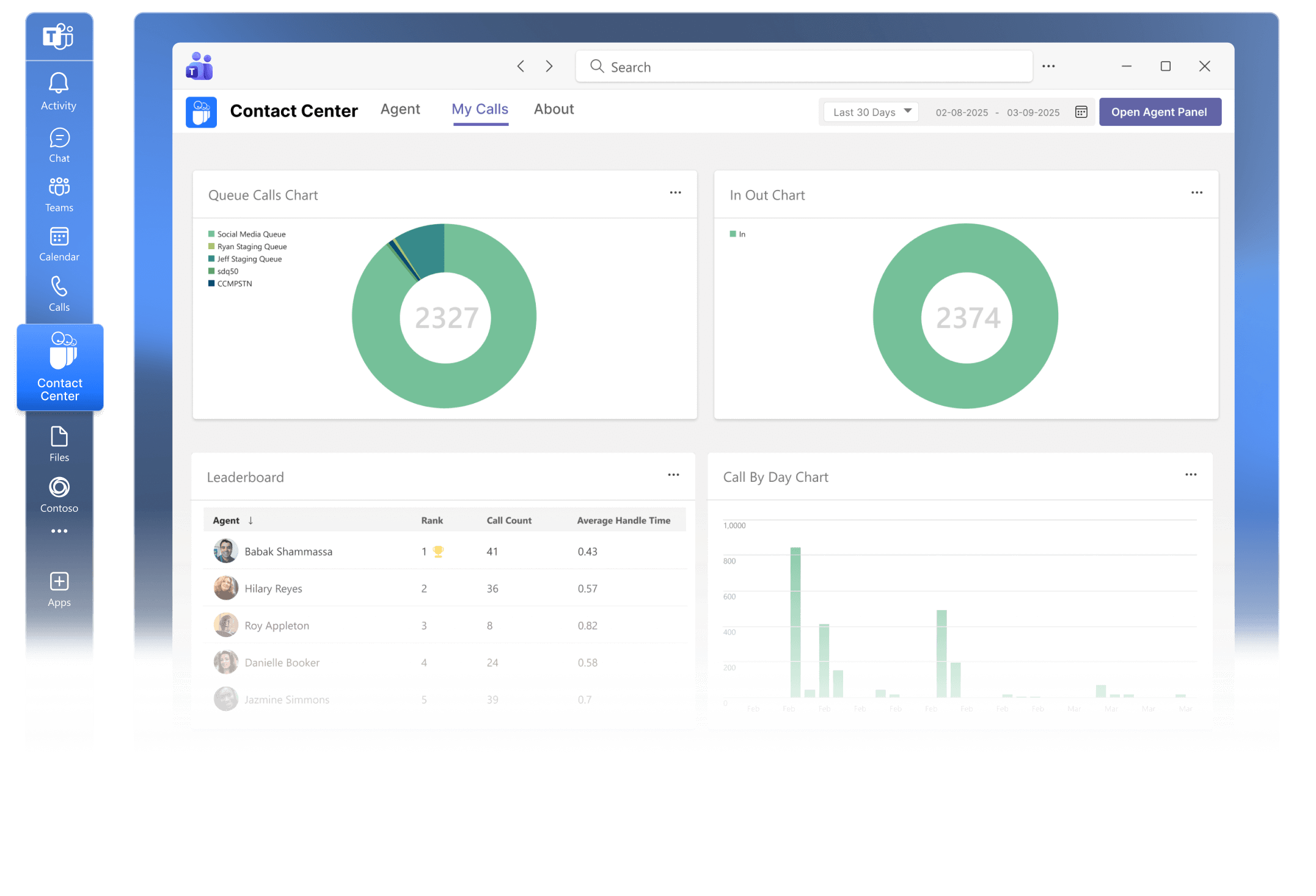
Real-time analytics & supervisor visibility
Teams-native agent experience
Connect with your customers at every touchpoint
Give contact center teams intuitive communication and productivity tools designed to improve agent performance and customer experience. Momentum and Luware integrate advanced contact center capabilities directly into Microsoft Teams.
- Native Microsoft Teams contact center capabilities powered by Luware
- Advanced routing, automation, and analytics for customer interactions
- Gain full visibility into customers, agents, and conversations
- A single, trusted source for customer interaction data
Contact center solutions for streamlined communication
Momentum delivers Teams-based contact centers that centralize voice and chat for faster, more efficient interactions.
Modernize critical document exchange
Replace legacy fax machines with secure, cloud-based faxing in Microsoft Teams. Send patient records and referrals to multiple recipients at once, instantly, without additional hardware.
Maintain compliance without compromise
Every transmission is automatically archived to your own SharePoint or Azure environment. Fax records stay persistent, HIPAA-ready, and accessible for reporting directly through Power BI.
Simplify administration across sites
Centralized fax management lets IT teams monitor and control activity across clinics, hospitals, and partner organizations from one dashboard.
Unify customer communication across all channels
Momentum’s Teams-integrated contact center consolidates voice, SMS, and chat for faster responses and consistent service across every location.
Resolve issues faster
Intelligent routing ensures customers connect with the right department or person immediately, improving customer satisfaction and retention.
Gain insight into service performance
Integrated analytics reveal call trends, agent efficiency, and customer sentiment for continuous experience improvement.
Streamline communication with customers and partners
Bring orders, support, and vendor coordination into one centralized Teams-based contact center.
Accelerate issue resolution
Smart routing and automated alerts connect the right plant, logistics, or service team instantly when customers report problems.
Track performance across operations
Real-time dashboards provide visibility into call volume, response times, and resolution metrics across multiple facilities.
Engage with Momentum
Momentum empowers your business with the tools it needs to thrive. Enhance productivity and drive growth with custom solutions for connectivity, communication, engagement, and more.Â
Explore Momentum’s other engagement solutions
SMS for Microsoft Teams
Improve customer engagement by adding two-way SMS texting to Microsoft Teams.
Teams Attendant Console
Equip your Team’s deployment with a range of advanced call management features.
Teams Call Recording
Ensure compliance and gain insights into business operations with a versatile recording solution.
Teams Call Reporting
Gain a competitive edge with a sophisticated contact center analytics platform.
Discover our related resources
Support your customers with a customized Teams contact center solution
Give employees the functionality they need and customers the support experience they deserve. Let Momentum show you how.
Teams Contact Center frequently asked questions
A Microsoft Teams Contact Center solution extends the Teams calling experience with full contact center capabilities, including voice, digital channels, agent management, and customer interaction routing. Momentum delivers Teams Contact Center functionality powered by Luware, enabling organizations to handle inbound and outbound customer interactions directly within the Teams interface while staying connected to the broader Microsoft 365 environment. This eliminates the need for a separate contact center platform.
Momentum’s Teams Contact Center, powered by Luware, integrates natively with Microsoft Teams using Microsoft’s certified calling and collaboration APIs. Agents manage all customer interactions, including voice and digital channels, directly within the Teams interface. The integration provides real-time access to call control, user presence, and customer context without requiring agents to switch between disconnected systems. This native approach ensures that data stays synchronized across Teams and the contact center.
Licensing requirements depend on your existing Microsoft environment and the contact center features you need, such as analytics, call recording, or advanced routing. In most cases, you will need a Microsoft 365 license with Teams enabled for each agent, Microsoft Phone System and PSTN connectivity through Calling Plans or Direct Routing, and contact center licensing for Luware, typically based on agent count or usage. Momentum assesses your current licensing and recommends the most cost-efficient configuration.
Yes, Luware is part of the Microsoft Certified Contact Center program. This certification verifies that the solution meets Microsoft’s standards for reliability, security, and performance within the Teams environment. Using a Microsoft-certified contact center solution simplifies deployment, streamlines support, and ensures alignment with compliance requirements.
Yes, Luware supports Direct Routing, which allows you to retain your existing PSTN carrier or Session Border Controllers while operating the contact center fully within Microsoft Teams. This gives organizations flexibility in choosing the telephony provider that best meets their cost, geographic, or compliance requirements. Momentum designs and manages the telephony integration to ensure compatibility and performance.
Luware provides a centralized management interface for configuring call flows, IVR menus, greetings, and skill-based routing rules. Calls can be routed based on criteria such as caller intent, language preference, or agent availability. Organizations can also incorporate AI-driven self-service to handle common requests before a call reaches a live agent, reducing wait times and improving resolution efficiency.